
Download PhoneRescue – Free Backup Software for Android, Windows & Mac
Overview
PhoneRescue is a free, secure backup solution designed for Android smartphones, Windows PCs, and macOS computers. In an age where data loss can happen in a split second—whether due to accidental deletion, software glitches, or hardware failure—having a reliable backup tool is no longer optional; it’s essential. PhoneRescue fills that gap with a user‑friendly interface that lets anyone, regardless of technical expertise, create comprehensive backups of contacts, messages, apps, photos, videos, and even system settings.
What sets PhoneRescue apart is its “one‑click” philosophy: a single button initiates a full device scan, compiles the data, and stores it safely on your computer or external drive. Because the software is free, there’s no hidden cost or subscription trap, making it an attractive option for students, professionals, and families alike. Moreover, PhoneRescue respects privacy; all backup files are stored locally, meaning your information never passes through a third‑party cloud unless you choose to upload it yourself.
Whether you’re safeguarding a brand‑new Android tablet or an older Windows laptop filled with years of documents, PhoneRescue offers a straightforward, trustworthy method to protect what matters most.
Key Features & Benefits
- Free backup creation for Android, Windows, and macOS devices.
- One‑click full device scan that captures contacts, SMS/MMS, call logs, apps, media files, and system settings.
- Selective restore options – retrieve only the data you need without overwriting the entire device.
- Secure local storage – backups are saved on your computer, external HDD, or USB drive, keeping your data out of the cloud.
- Cross‑platform compatibility – works seamlessly on Android 5.0+, Windows 7+, and macOS 10.12+.
- Intuitive UI – drag‑and‑drop file explorer for quick navigation of backup contents.
- Automatic incremental updates – after the initial backup, subsequent runs only save new or changed files, saving time and space.
- Built‑in data integrity checks to ensure backups are not corrupted.
- Multi‑language support – English, Spanish, German, French, and more.
- Free technical support via email and community forum.
Installation, Compatibility & Pros / Cons
Installation & Usage Instructions
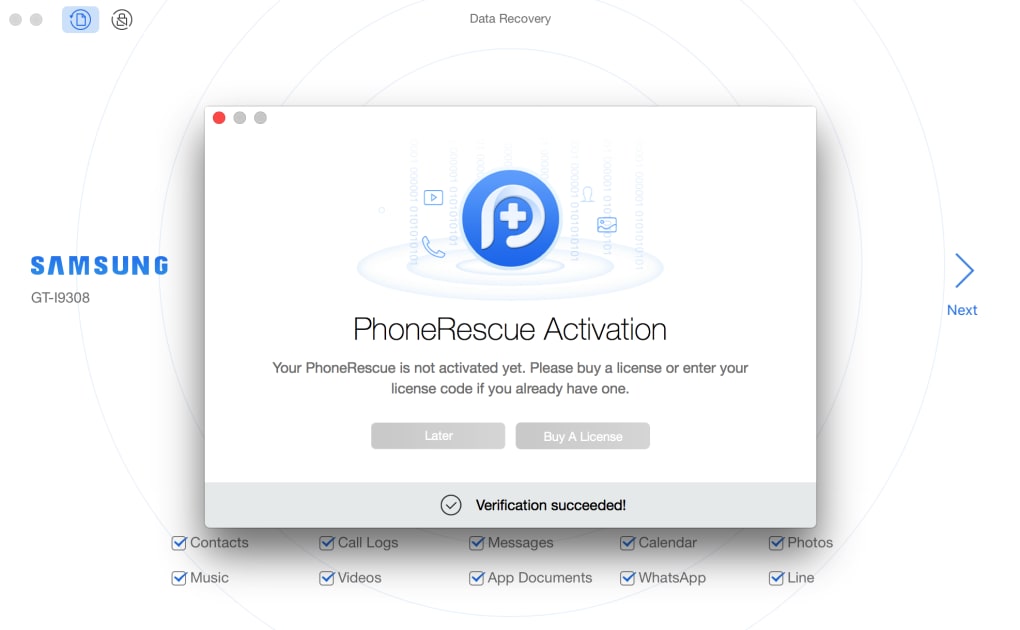
Getting started with PhoneRescue is deliberately simple. First, download the installer from the official website – the file size is under 30 MB, ensuring a quick download even on slower connections. Run the executable on Windows or the .dmg on macOS; the wizard guides you through the standard “Next, Next, Finish” steps.
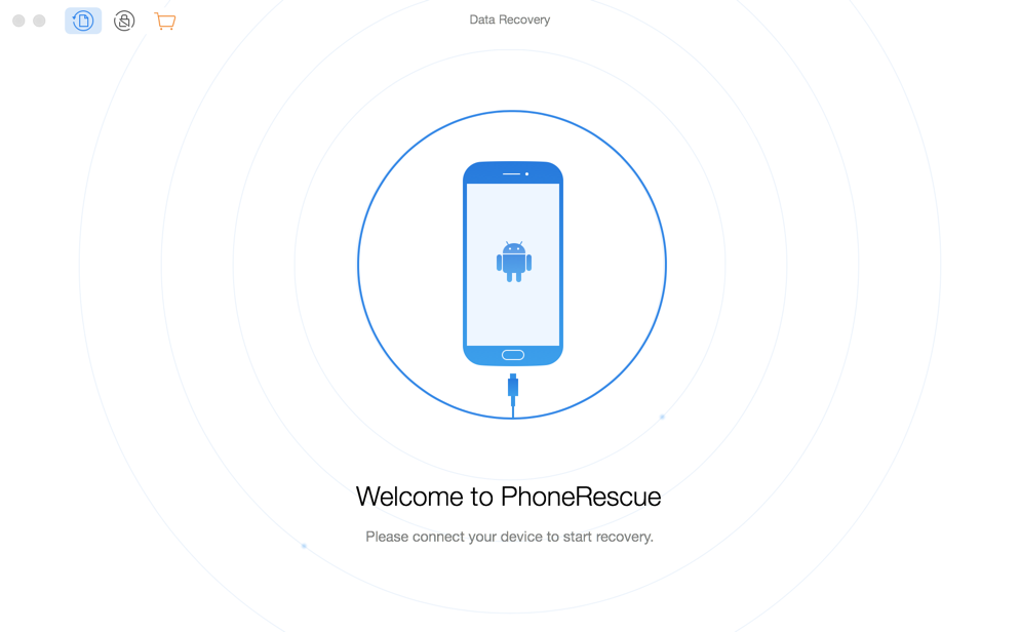
No admin rights are required for the basic backup mode, though elevated permissions are recommended for a full system scan on Windows. Once installed, launch PhoneRescue and connect your Android device via USB. The app automatically detects the device, prompts you to enable USB debugging (a one‑time setting), and then presents the “Create Backup” button.
Click it, choose a destination folder, and let the software do the heavy lifting. Restoring data follows the same logic: select a backup file, tick the items you wish to recover, and click “Restore.” The process is reversible, and the software offers a preview of each file before it’s written back to the device.
Compatibility (itemprop="operatingSystem")
PhoneRescue is built to run on the most common operating systems:
- Windows: 7, 8, 8.1, 10, and 11 (both 32‑bit and 64‑bit).
- macOS: 10.12 Sierra and later, including Apple Silicon (M1/M2) through Rosetta 2.
- Android: Devices running Android 5.0 Lollipop up to the latest releases, with USB‑OTG support for direct connection.
Pros
- Completely free for both personal and commercial use.
- One‑click full backup and selective restore functionality.
- Local storage keeps data private and out of the cloud.
- Broad OS compatibility, covering the majority of consumer devices.
- Low system resource usage; runs smoothly on older hardware.
Cons
- No built‑in cloud sync; users must manage external storage themselves.
- Advanced features (e.g., encrypted backups) are only available in the paid Pro version.
- Initial device detection can be slow on some older Android models.
FAQ & Conclusion
Is PhoneRescue really free, or are there hidden costs?
PhoneRescue offers a completely free version that includes full backup and restore capabilities for Android, Windows, and macOS. There are no hidden subscription fees. A paid “Pro” tier exists for users who need encryption, cloud sync, or priority support, but the core functionality remains free.
Can I back up data from an iPhone with PhoneRescue?
PhoneRescue focuses on Android, Windows, and Mac platforms. For iOS devices, the company offers a separate product called “iPhone Data Recovery,” which is not covered in this review.
How secure are the backup files?
Backups are stored locally on your chosen drive, never uploaded automatically to the cloud. The free version does not encrypt files, but the Pro version adds AES‑256 encryption for added security.
Do I need to root my Android device to use PhoneRescue?
No rooting is required for the standard backup. PhoneRescue uses Android’s native ADB interface to access data, making it safe for non‑rooted devices. Root access only becomes necessary for certain system‑level data that most users don’t need.
What happens if I lose the backup file?
Because backups are saved locally, you control where they reside. It’s recommended to keep copies on an external hard drive or USB stick. If the file is lost, you would need to create a new backup from the device.
Conclusion & Call to Action
PhoneRescue stands out as a genuinely free, easy‑to‑use backup tool that covers the three biggest consumer platforms—Android, Windows, and macOS—without compromising on data integrity. Its one‑click approach, combined with selective restore options, makes it a solid choice for anyone who values their digital memories but doesn’t want to navigate complex backup software. While it lacks built‑in cloud syncing and advanced encryption in the free tier, the optional Pro upgrade fills those gaps without forcing users to pay upfront. If you’re looking for a trustworthy, no‑cost solution to protect contacts, messages, apps, and media, PhoneRescue delivers exactly that. Download PhoneRescue today and secure your data with a single, free click.
PhoneRescue offers a compelling blend of simplicity and power. Its free version handles everyday backup needs flawlessly, while the optional Pro tier adds the security features that power users demand. The only drawback is the lack of automatic cloud sync, but that’s a conscious trade‑off for privacy‑focused users. Overall, it earns a solid 4.5 out of 5.







